Software setup \ Uploading a new program
Step 1
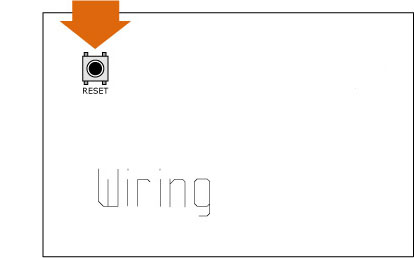
Make sure you have done successfully the Wiring hardware and software Setup process with special attention to steps 3 and 4, these steps have to be repeated after changing the USB port used with the Wiring hardware or changing a board. The diagrams below show the reset on a Wiring board but the RESET switch is also present in the WiringMini board.
Step 2
Verify your program is free of compiling errors by pressing the Compile/Verify button in the menu bar.

Step 3
Note: The manual RESET is NOT required for boards with hardware revision 0004. The revision is printed on the board under the wiring logo. From hardware revision 0004 the software upload and board restart is automatic when pressing the upload button in the Wiring environment.
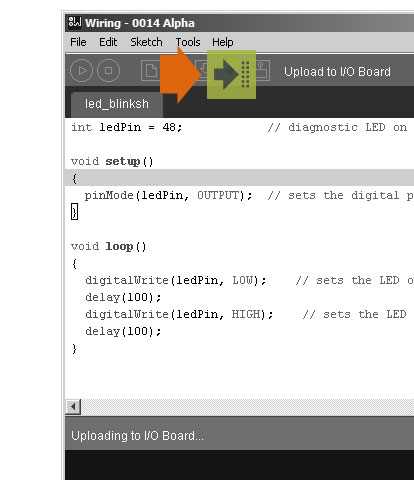
Press the reset button in the Wiring hardware and immediately press the Upload button in the menu bar. If something goes wrong the Wiring environment will print an error message. If things are fine it will tell you the Upload was successful.
Step 4
Note: The manual RESET is NOT required for boards with hardware revision 0004. The revision is printed on the board under the wiring logo. From hardware revision 0004 the software upload and board restart is automatic when pressing the upload button in the Wiring environment.
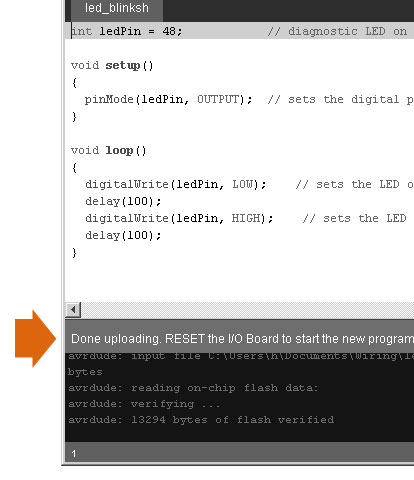
After a successful upload press the RESET button on the I/O board to restart the program you just uploaded into it. It takes from 5 to 7 seconds for your program to start after resetting the board.